Five steps, from a strategy to a year that fits.
Nothing complex. The goals go in, the people go in, the hours go against the work, and Planning Room shows whether it adds up.
Every step below is really a question, and every one of them can be asked with a pen and the plan on the desk. (We'd start there.) Planning Room does the adding up, and keeps it added up when someone goes on leave or a new job lands in Term 3.
Step 1 - Start with the goals
The goals go in word for word.
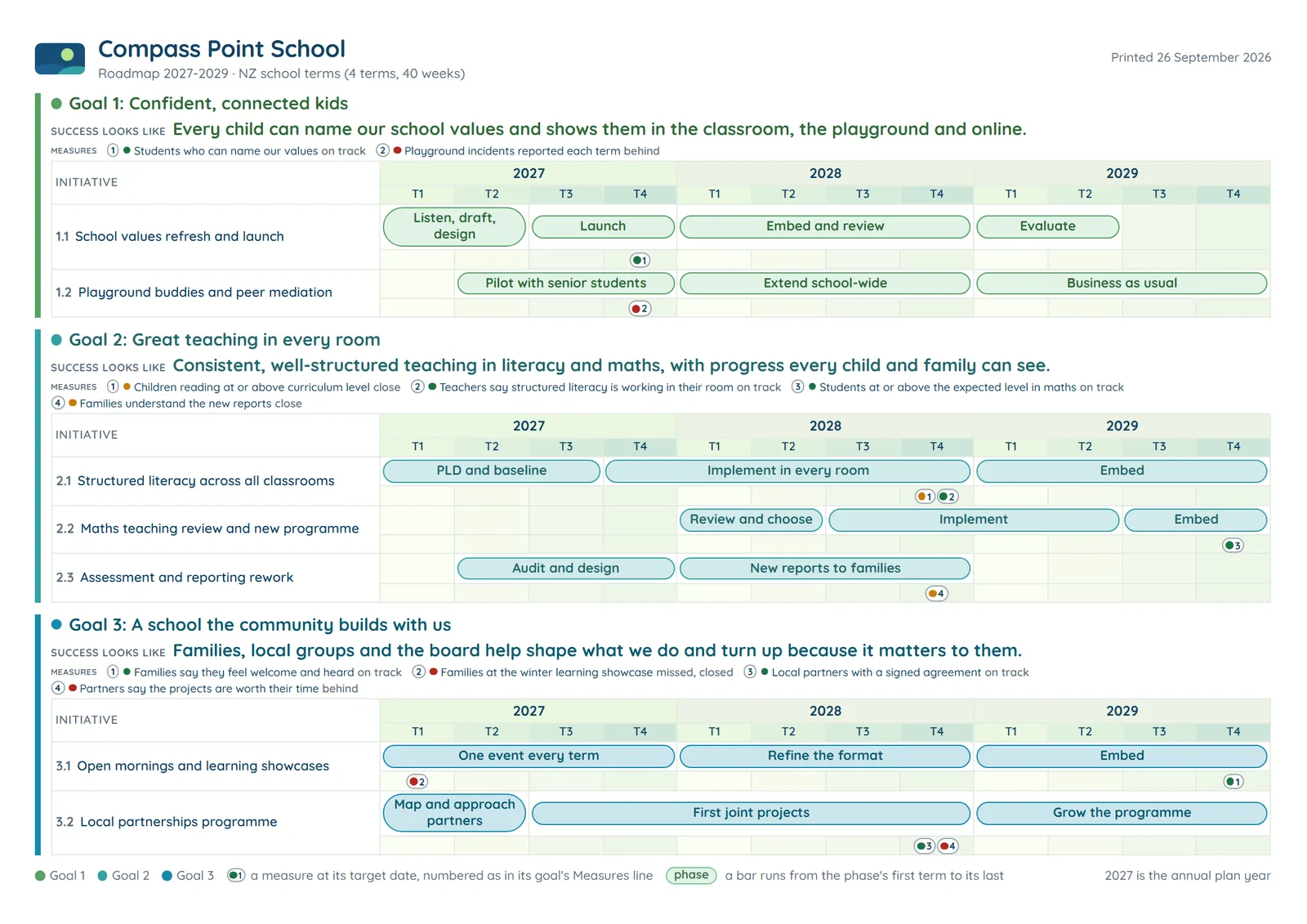
Each goal sits beside what success looks like, at the same weight. Initiatives sit under each goal, and each initiative breaks into phases across the years of the plan. That's the Roadmap, and it's the first thing on screen. The hours, the money and the capacity check are for the year ahead.
The question underneath
Could everyone named in the plan say what success looks like for each goal, in a sentence?
Step 2 - Add the people
Everyone who gives time to the plan, and how much.
People go in individually and are added to their team(s), with the hours a week they really have for this work. Rough is fine - nobody needs it to the minute. Calendar events and time away go on as well, week by week, so a busy fortnight counts as a busy fortnight.
The question underneath
Who gives time to this plan, and has anyone asked them how much they've really got?
Step 3 - Allocate time
Hours and money against every phase in the year ahead.
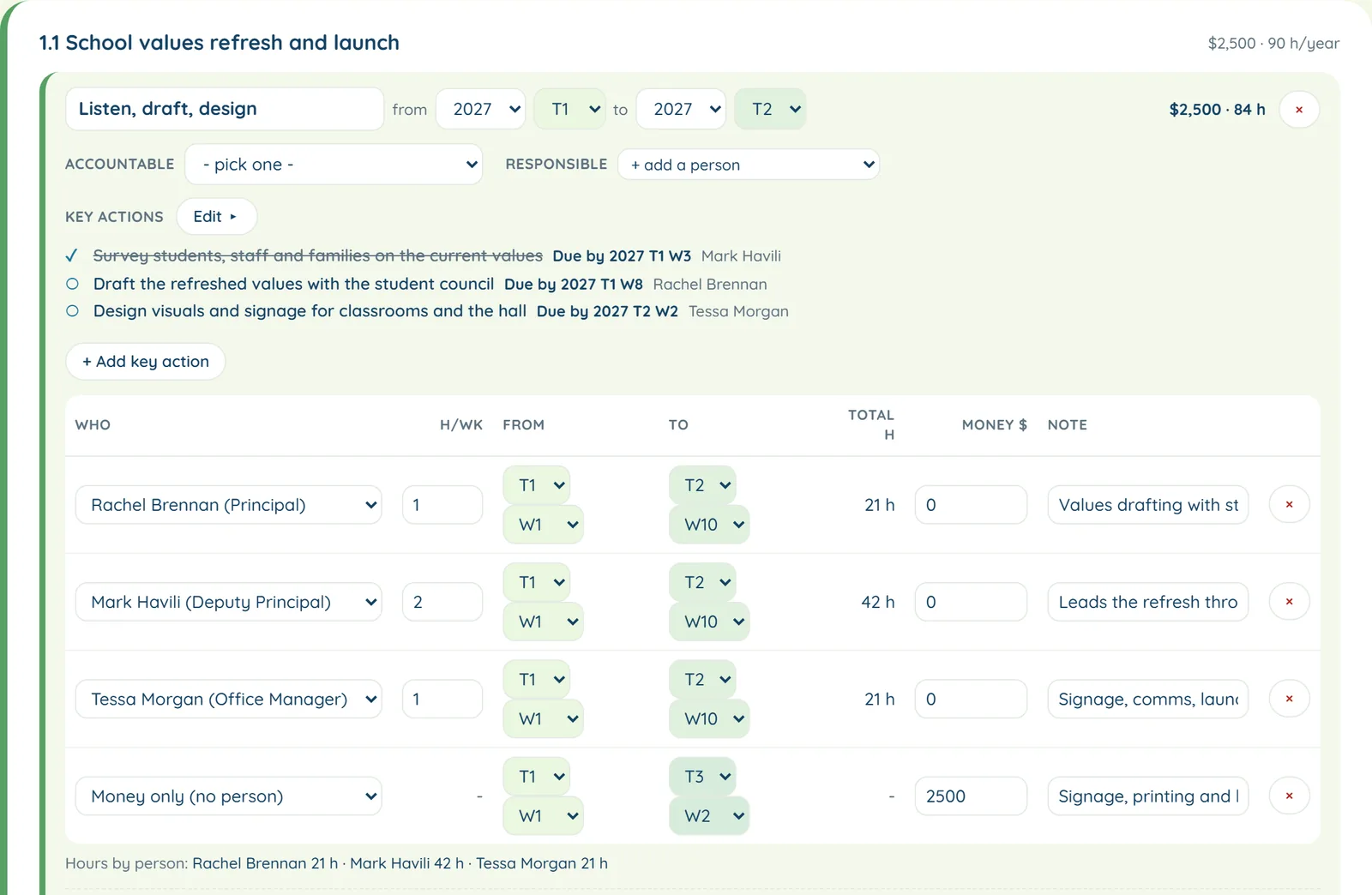
Each phase can carry its key actions, one person accountable, the people responsible, its dates, its money, and hours for each person. Initiative and goal totals roll up from there, so nothing is typed twice.
The question underneath
For each piece of work, whose hours is it spending, and in which weeks?
Step 4 - Check it fits
Then the honest bit.
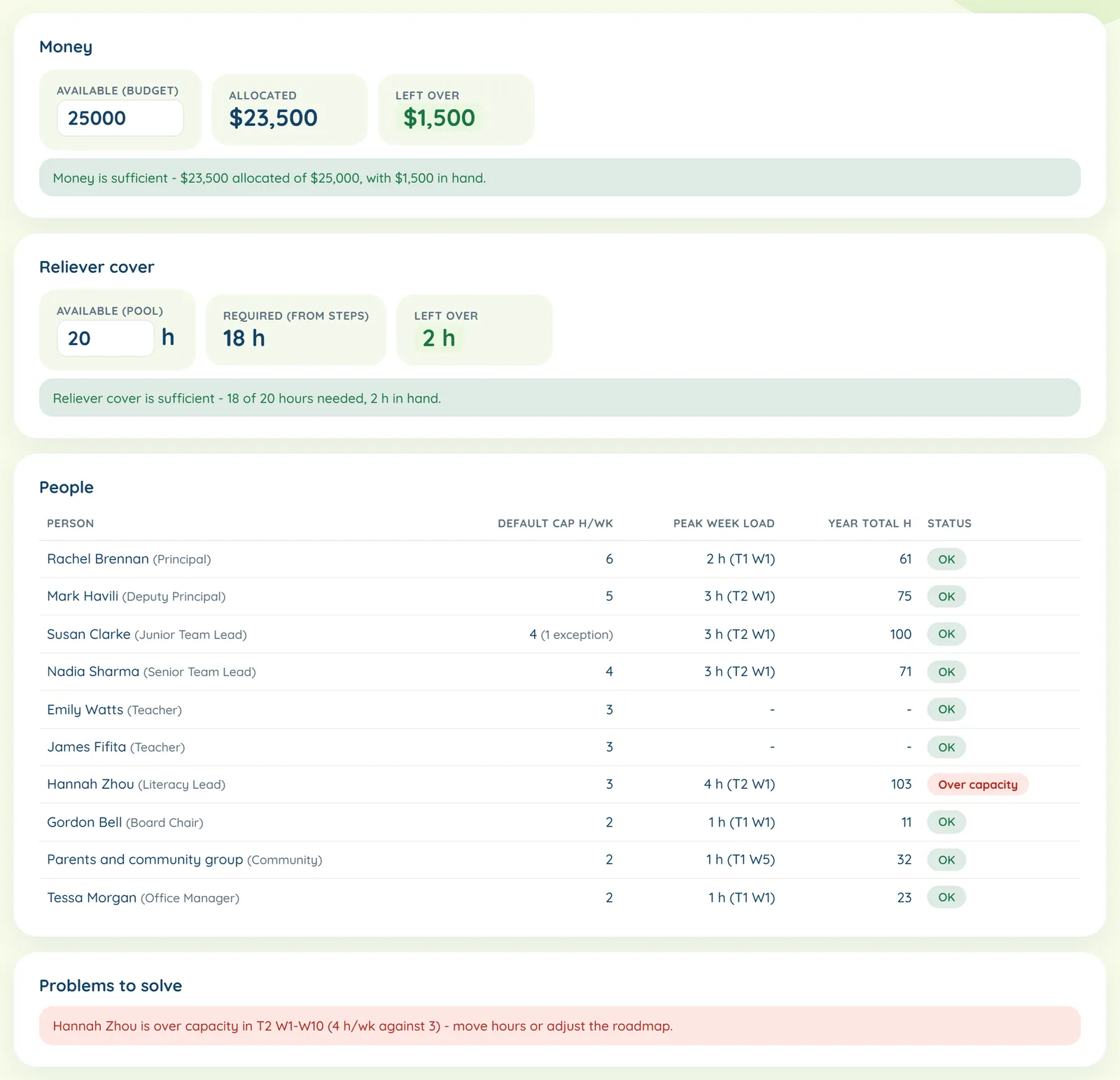
Capacity adds it all up by goal and by person. The Gantt shows the annual plan week by week, for everyone, one team or one person. And the Sufficiency check asks the blunt question - is there enough money, enough cover and enough people-time to deliver this?
If the answer is no, this is the cheapest moment of the year to find out.
The question underneath
Is there enough money, enough cover and enough people-time? And if one of those is a no, which one?
Step 5 - Track it and report it
Measures, two reports and one page for the board.
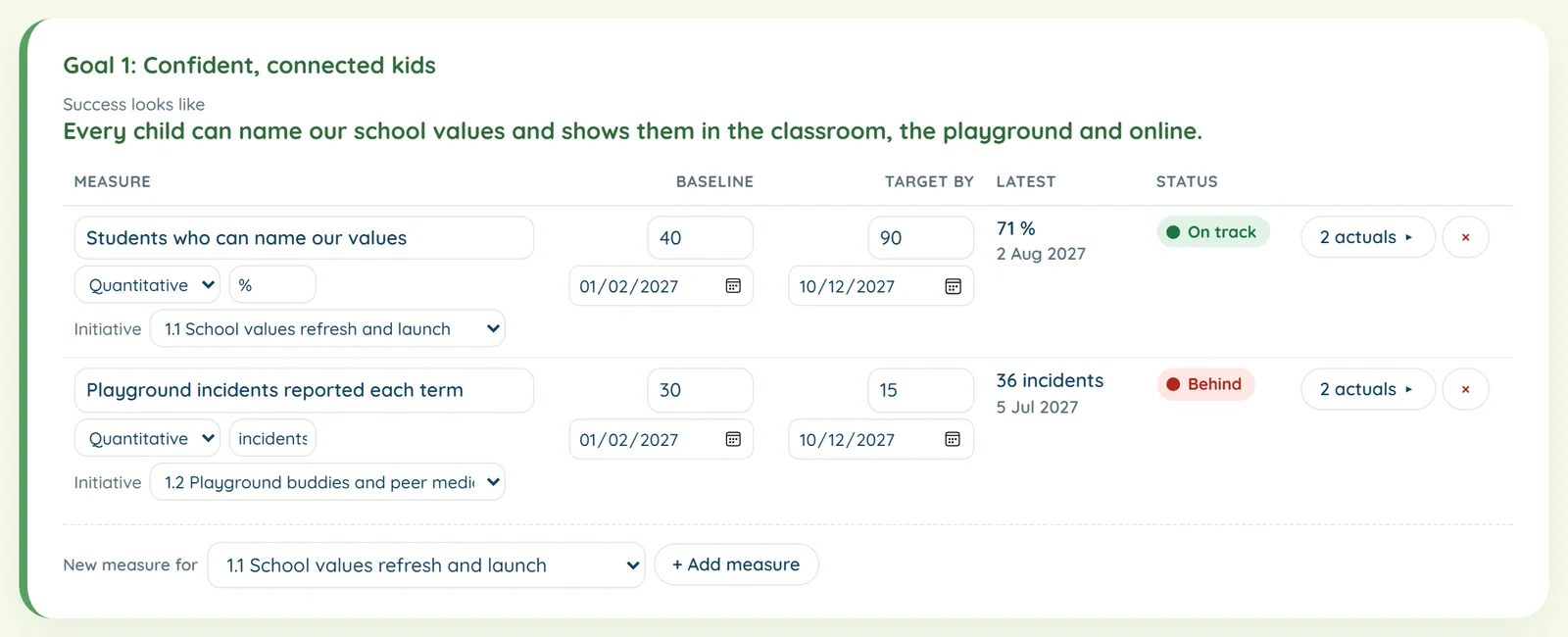
Every measure has a target date and actuals, and a number measure carries a baseline and a target, with a red, amber or green light on each. Operations by term and Board by goal build themselves from the plan. The whole roadmap prints on one A4 landscape page.
The question underneath
How will we know by the end of Term 1 whether it's working?
The small stuff that makes it usable.
- The plan saves itself as it goes, and it can be downloaded as a file at any time. A downloaded plan can be loaded back in.
- The year can run in school terms, quarters or two-month cycles.
- More than one plan can sit under one login.
- A plan can be shared - the owner chooses who comes in as an editor and who comes in as a viewer.
- A plan can be copied, which makes "what if we dropped this initiative" a two-minute question.
- Every tab prints, and the reports print exactly as they look on screen.
Rather start on paper? The twenty-minute check is in Learn.